
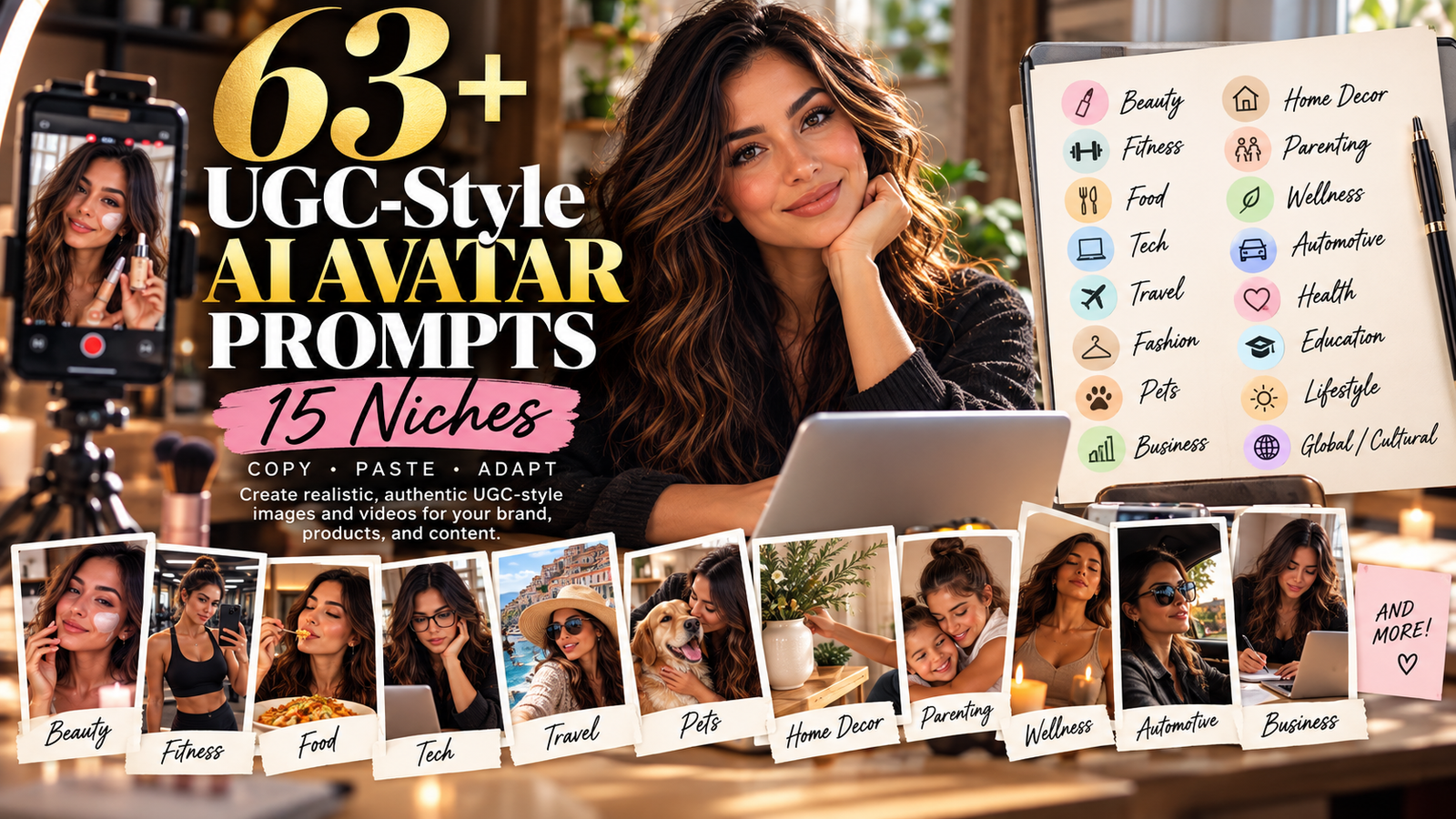
Copy, paste, and adapt these prompts to create realistic, authentic creator-style AI content for your brand, products, and social media.
Creating content that feels natural and relatable doesn’t always require a professional photoshoot. With today’s AI image and video tools, you can create UGC-style AI avatar content designed to capture the casual, authentic look of creator content—selfies, product demonstrations, unboxings, mirror shots, everyday environments, and natural expressions.
Whether you’re a small business owner, blogger, affiliate marketer, content creator, or brand, these prompts can help you create more content without having to photograph every product or hire a creator for every campaign.
This collection includes 65 copy-and-paste prompts across multiple popular niches. Each prompt is designed to give an AI image generator enough visual direction to create a believable creator-style scene while still leaving room for you to customize the product, person, setting, and overall aesthetic.
IMPORTANT: AI-generated UGC-style content is not the same as actual user-generated content. It recreates the visual style of creator content using AI. Don’t present an AI-generated person as a real customer or falsely claim that they personally used or reviewed a product.
WHAT IS UGC-STYLE AI CONTENT?
UGC stands for User-Generated Content. Traditionally, UGC refers to photos, videos, reviews, testimonials, and other content created by real customers or creators rather than produced as traditional brand advertising.
UGC-style AI content takes inspiration from that same casual, relatable visual style but uses artificial intelligence to create the image or video.
Instead of a polished studio advertisement, imagine a woman holding a skincare product in her bathroom while filming herself with her phone. Or a person unboxing a package at their kitchen table. Or a traveler showing a piece of luggage at an airport.
These scenes feel more like everyday content than traditional advertising.
That is the visual approach these prompts are designed to recreate.
WHY DOES UGC-STYLE CONTENT WORK?
Traditional advertising often looks polished and highly produced. That’s useful for certain campaigns, but social media users are also accustomed to seeing content that feels personal, casual, and native to the platform.
UGC-style content can help a brand create visuals that feel:
- More natural
- More relatable
- Less like a traditional advertisement
- Easier to adapt for different platforms
- Faster to produce
- More flexible across different products and campaigns
The goal isn’t to make an advertisement look cheap.
The goal is to make the content feel like something that could naturally appear in someone’s social feed.
UGC NO LONGER REQUIRES A CAMERA OR A HUMAN CREATOR
One of the biggest changes in content creation is the ability to use AI to create realistic people, environments, product demonstrations, and lifestyle scenes.
Tools such as Midjourney, Leonardo AI, Flux, and Stable Diffusion can generate realistic people and environments based on detailed prompts.
You can create a virtual creator-style scene showing a person holding a product, demonstrating a routine, opening a package, sitting at a desk, traveling, exercising, or simply talking to the camera.
The person doesn’t have to be a real customer.
That makes AI especially useful for brands that need a large amount of visual content but don’t have the budget or resources for constant professional photography.
However, transparency matters.
If the image or video is AI-generated, don’t represent the person as a real customer, employee, or reviewer if they are not.
HOW TO USE THESE AI AVATAR PROMPTS
Every prompt contains bracketed details such as [product], [outfit], [tech product], or [food product].
Replace those details with the item, service, or brand you want to feature.
For example:
[product] → your moisturizer
[outfit] → your new clothing collection
[tech product] → your wireless headphones
[food product] → your snack brand
You can also customize:
- Age
- Hair color and style
- Clothing
- Skin tone
- Location
- Lighting
- Camera angle
- Time of day
- Background
- Mood
- Facial expression
- Product placement
The more specific you are about the scene, the more control you have over the final image.
65 UGC-STYLE AI AVATAR PROMPTS
BEAUTY
- Bathroom Selfie
UGC-style selfie of a woman applying [product] in a bright bathroom mirror, natural skin texture, soft morning light, phone held at arm’s length, candid expression
- Skincare Product Close-Up
Close-up UGC shot of hands holding [skincare product] next to a bathroom sink, water droplets visible, soft diffused lighting
- Skincare Routine
Woman filming herself talking to camera mid-skincare routine, [product] in hand, cozy bedroom background, warm lamp light
- Beauty Unboxing
UGC unboxing shot, hands opening a [beauty product] package on a marble countertop, natural window light
- Before-and-After Style
Before-and-after style selfie holding [product], bathroom setting, authentic unfiltered look, realistic skin texture, casual creator aesthetic
FITNESS
- Gym Selfie
UGC gym selfie mid-workout holding [product/supplement], sweaty, genuine effort expression, gym mirror reflection
- Home Workout
Woman stretching with a resistance band, phone propped on a yoga mat, home gym setting, natural light
- Post-Workout Selfie
Post-workout selfie in a parked car, [product] visible, candid tired-but-happy expression, natural daylight
- Protein Shake
UGC shot of hands mixing a protein shake with [product] container visible, kitchen counter, morning light
- Outdoor Running
Outdoor running shot, phone selfie mid-jog holding [product], park background, subtle motion blur on legs
FOOD
- Taste Test
UGC kitchen shot, person tasting [food product] with a spoon, candid reaction, warm kitchen lighting
- Meal Preparation
Overhead shot of hands preparing a meal with [product] visible on the counter, natural daylight
- Dinner Table
Selfie-style shot at a dinner table with [product/dish], cozy restaurant or home ambiance
- Food Unboxing
UGC unboxing of a food delivery/product box, hands lifting the lid, kitchen table setting
- Snack Moment
Close-up bite shot holding [snack product], candid smile, kitchen or car background
TECH
- Desk Setup
UGC desk setup shot, person holding [tech product] toward camera, monitors and cables visible, cool ambient lighting
- Laptop Accessory
Close-up hands typing on a laptop with [tech accessory] nearby, coffee cup in frame, home office
- Tech Unboxing
Selfie-style unboxing of [tech gadget], excited expression, bedroom desk setting
- Product Setup
Over-the-shoulder shot of hands setting up [tech product], screen glow lighting
- Gadget Selfie
Casual selfie holding [phone/gadget] up to camera, showing screen, candid living room background
TRAVEL
- Airport Selfie
UGC airport selfie holding [travel product/luggage], boarding pass visible, terminal background
- Beach Selfie
Beach selfie holding sunscreen or [travel product], ocean background, golden-hour light
- Hotel Unboxing
Hotel room unboxing shot of a travel kit, suitcase open on the bed
- Packing
Candid shot of hands packing a bag with [product] visible, natural window light
- Scenic Overlook
Scenic overlook selfie with [travel gear] in frame, mountain or city skyline background
FASHION
- Mirror Selfie
UGC mirror selfie trying on [clothing item], bedroom closet background, natural light
- Accessory Styling
Close-up shot of hands adjusting [accessory/jewelry], candid styling moment
- OOTD
Full-body OOTD selfie wearing [outfit], neutral wall background, phone visible in mirror
- Fashion Unboxing
Unboxing shot of a clothing package, hands lifting [item] out of tissue paper
- Street Style
Street-style candid shot walking while wearing [outfit], city sidewalk background
PETS
- Feeding
UGC shot of a person feeding their dog [pet product], candid kitchen floor setting
- Pet Toy
Close-up of hands holding a pet toy or treat with a curious dog or cat in frame
- Pet Walk
Selfie with pet on a walk, [product] like a leash or harness visible
- Grooming
Grooming shot, hands brushing a dog with [product] nearby, natural home lighting
- Playtime
Candid living room shot of a pet playing with [product], warm indoor light
BUSINESS
- Business Desk Selfie
UGC desk selfie holding [business product/tool], laptop open, home office setting
- Planner
Close-up hands writing in a planner with [product] branding visible, coffee cup nearby
- Coworking Space
Selfie-style talking-to-camera shot in a coworking space, [product] in hand
- Business Unboxing
Unboxing shot of business supplies, hands opening a branded box on a desk
- Work Call
Candid shot of a person on a call using [product], natural window light office background
HOME DECOR
- Shelf Styling
UGC shot of hands styling a shelf with [decor item], natural living room light
- Room Transformation
Before-and-after room shot holding [product] like a candle or accent piece
- Coffee Table
Close-up of hands arranging [home item] on a coffee table, cozy afternoon light
- Room Tour
Selfie-style room tour shot, [product] visible in the background, warm home lighting
- Home Decor Unboxing
Unboxing shot of a home decor delivery, hands lifting item from a box
PARENTING & FAMILY
- Parent Product
UGC shot of a parent holding [baby/kids product], candid nursery or living room setting
- Family Snack
Close-up of hands preparing [product] like a bottle or snack, kitchen background
- Parent-and-Child Selfie
Selfie with child in frame, [product] visible, natural home lighting
- Baby Product Unboxing
Unboxing shot of a baby product, hands opening packaging on a changing table
- Family Playtime
Candid playtime shot with [kids product], living room floor setting
WELLNESS & SELF-CARE
- Self-Care Selfie
UGC bathtub-adjacent selfie holding [self-care product], candlelight ambiance
- Product Application
Close-up of hands applying [wellness product], soft bedroom lighting
- Journaling
Journaling shot with [product] like tea or wellness items nearby, cozy morning light
- Meditation
Selfie mid-meditation setup, [product] visible, calm natural light
- Wellness Unboxing
Unboxing shot of a wellness box, hands lifting items out, soft neutral background
AUTOMOTIVE
- Car Interior
UGC car interior selfie holding [product], steering wheel visible, daylight
- Car Accessory
Close-up hands installing or using [car accessory], dashboard background
- Car Lifestyle
Selfie leaning against a car with [product], driveway or street background
- Automotive Unboxing
Unboxing shot of car accessories in the trunk or back seat
- Road Trip
Candid road-trip selfie with [product] visible, car window scenery blurred
GLOBAL & MULTI-NICHE
- Cultural Home
UGC selfie in a culturally specific home setting using [product], authentic candid moment
- Traditional Recipe
Close-up hands preparing a traditional recipe with [product] integrated, authentic kitchen setting
- Native-Language Review
Selfie-style talking-to-camera review of [product] in a casual, native-language tone, home background
- Family Product
Group/family shot using [product] together, candid living room setting
- Local Market
Market or outdoor shot holding [product], authentic local background
HOW TO MAKE YOUR AI UGC LOOK MORE AUTHENTIC
The difference between an AI image that looks believable and one that looks obviously artificial often comes down to the details.
Instead of simply asking for “a beautiful woman holding a product,” describe the environment and the way a real person might actually interact with that product.
Try adding details such as:
- Natural skin texture
- Subtle imperfections
- Casual clothing
- Realistic home environments
- Natural window light
- Candid expressions
- Smartphone-camera aesthetic
- Unposed body language
- Realistic proportions
- Everyday backgrounds
- Slight motion blur
- Handheld photography
- Natural shadows
- Slightly imperfect framing
You don’t want every image to look like it was photographed inside a luxury advertising studio.
Sometimes a slightly imperfect bathroom mirror, kitchen counter, bedroom, car interior, or home office makes the image feel much more believable.
A UNIVERSAL ADD-ON FOR YOUR PROMPTS
For Midjourney, Flux, Leonardo AI, or similar image generators, you can add a description like this to the end of your prompt:
Photorealistic, vertical 9:16, authentic creator-style content, natural skin texture, realistic proportions, candid expression, natural lighting, believable everyday environment, smartphone-camera aesthetic, subtle imperfections, realistic hands, realistic facial features, no text, no watermark.
NEGATIVE PROMPT
If your AI generator supports negative prompts, try:
airbrushed, plastic skin, unrealistic anatomy, distorted hands, extra fingers, excessive beauty filter, overly polished commercial photography, artificial pose, studio backdrop, cartoon, illustration, CGI appearance, unrealistic proportions, text, watermark
HOW TO CREATE MULTIPLE PIECES OF CONTENT FROM ONE PROMPT
You don’t have to stop after creating one image.
Take a single product and create several variations.
For example:
- Product selfie
- Product demonstration
- Unboxing
- Lifestyle scene
- Close-up
- Talking-to-camera concept
- Product-in-use scene
- Behind-the-scenes style image
You can also change the environment.
Try:
- Bathroom
- Bedroom
- Kitchen
- Living room
- Home office
- Car
- Gym
- Hotel
- Airport
- Outdoor setting
- Coffee shop
- Store
- Street
The same product can look completely different simply by changing the setting and the story around it.
TURN ONE IDEA INTO A CONTENT SERIES
One of the biggest advantages of AI-assisted content creation is that one concept can become multiple pieces of content.
For example, imagine you’re promoting a skincare product.
You could create:
A morning bathroom selfie.
A close-up of the product next to the sink.
A creator-style demonstration.
An evening skincare routine.
An unboxing.
A product-in-hand lifestyle image.
A talking-to-camera review concept.
Those images can then be adapted into:
- Facebook posts
- Instagram posts
- Instagram Stories
- Reels
- TikTok videos
- Pinterest pins
- Blog graphics
- Product pages
- Email marketing
- Advertisements
One idea doesn’t have to produce one piece of content.
HOW TO KEEP YOUR AI AVATAR CONSISTENT
If you’re creating multiple images featuring the same virtual creator, consistency becomes important.
Try keeping the following details consistent:
- Hair color
- Hairstyle
- Eye color
- Approximate age
- Skin tone
- Facial characteristics
- Body type
- Clothing style
- Overall personality
- Photography style
If your AI tool supports character references, image references, or a consistent seed, use those features when possible.
The goal is to make your virtual creator look like the same person across multiple images rather than creating a completely different person every time.
UGC-STYLE CONTENT FOR SMALL BUSINESSES
You don’t need to be a large company to benefit from this type of content.
A small beauty brand can create realistic skincare scenes.
A furniture business can create room styling content.
A jewelry shop can create lifestyle images.
A restaurant can create food-focused scenes.
A travel business can create destination-inspired visuals.
A coach or consultant can create professional lifestyle content.
An affiliate marketer can create product-focused social media visuals.
The possibilities are broad because the prompt can be adapted to almost any product or service.
DON’T MAKE EVERYTHING LOOK LIKE AN AD
This is one of the most important principles when creating UGC-style content.
If every image has perfect lighting, a perfect pose, a spotless background, and a person staring directly into the camera while holding the product exactly in the center, the result can start to feel like an advertisement.
Real people don’t always pose perfectly.
They use products while sitting on the edge of their bed.
They leave coffee cups on the counter.
They take photos in their cars.
They photograph products near windows.
They hold things casually.
They sometimes look away from the camera.
Those little details can make an AI-generated scene feel more natural.
FINAL THOUGHTS
UGC-style AI content isn’t about replacing authentic customer experiences.
It’s about giving creators and businesses another tool for producing visual content efficiently.
The goal is to create imagery that feels natural, relatable, and appropriate for the platform where it will appear.
Start with one prompt.
Replace the bracketed details.
Customize the person and environment.
Experiment with different camera angles and lighting.
Then turn the strongest concept into a series of related images and videos.
The more specific and believable the scene, the more useful your AI-generated content becomes.
And remember: if an image or video is AI-generated, be transparent about that when the context could reasonably cause viewers to believe that the person shown is a real customer or reviewer.
AI can help you create the visual.
Your strategy, creativity, and message are what make the content yours.